Apple device management is shifting from the traditional, command-based MDM model to Declarative Device Management (DDM). This transition fundamentally changes how admins handle iPhone and iPad updates, shifting the paradigm for policy, status, and compliance.
What is DDM and why it matters
Traditional MDM is inherently reactive, relying on a continuous cycle of server commands, device check-ins, and awaited responses. In contrast, Declarative Device Management (DDM) allows admins to define a desired state, empowering the device to autonomously reach that state and proactively report status changes. By eliminating constant server polling, Apple’s DDM model significantly improves scalability while making update management and compliance tracking highly predictable.
Apple introduced DDM in 2021 and continued expanding it in later platform releases. The reason for the change was simple: classic MDM worked, but it was less efficient for modern fleets, especially when you want faster status updates and more autonomous device behavior.
Apple is now clearly prioritizing declarative management for update and state-based scenarios, a modern framework fully supported by Microsoft Intune’s Apple update policies.
Benefits of DDM
- Faster and more reliable status reporting.
- The device sends updates about its state more quickly, so the admin sees what is happening almost in real time, with fewer gaps in reporting.
- Less server-side polling and less management overhead.
- The server does not need to keep asking devices for their status all the time, which reduces traffic, manual checking, and administrative effort.
- Better scalability for large fleets.
- More predictable software update workflows.
- Updates become more consistent and easier to track because the device manages its own state and reports progress instead of waiting for repeated server commands.
Configuration Policy
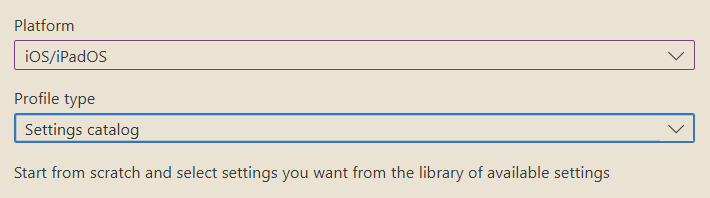
Manage Devices/ Configuration/ New Policy
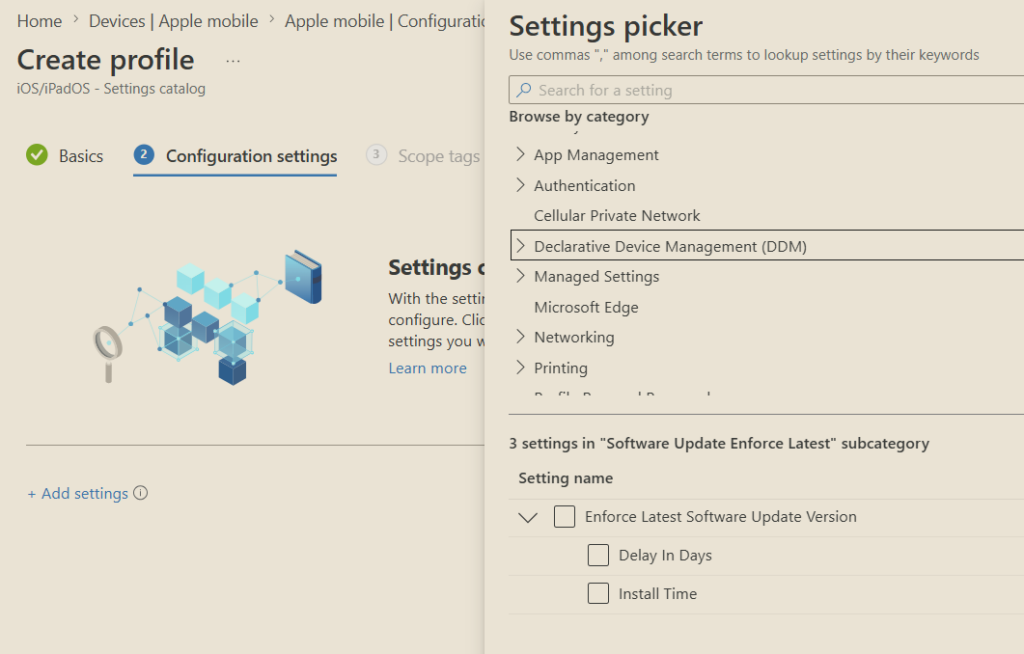
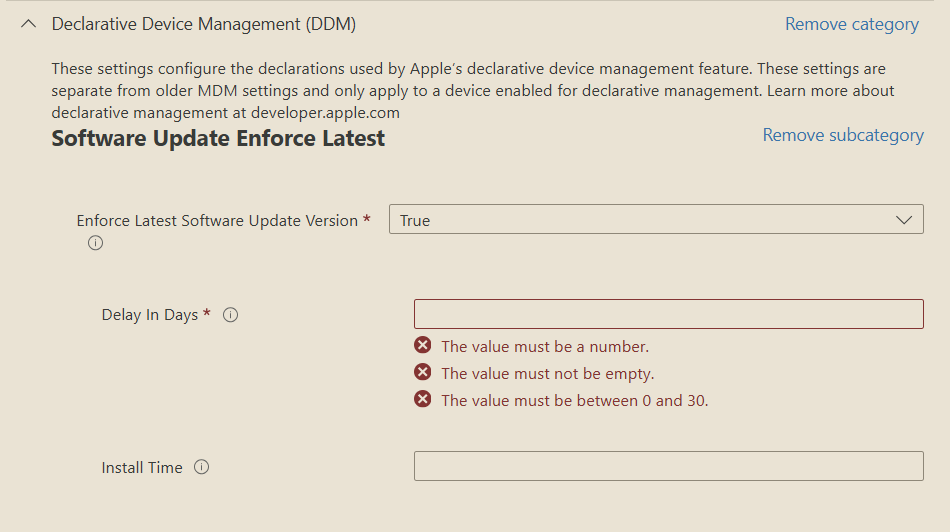
- Delay in Days
- Specify the number of days that should pass before a deadline is enforced after a new update is released by Apple.
- Install Time
- Specify the local device time for when updates are enforced. This setting uses the 24-hour clock format where midnight is 00:00 and 11:59pm is 23:59. Ensure that you include the leading 0 on single digit hours. For example, 01:00, 02:00, 03:00.